In-treatment device
A tablet your center owns, locked to one app, for clients in residential treatment.

The problem
In the first days or weeks of residential treatment, clients have no phone. Appointments move and nobody can tell them. Worksheets live on paper, and staff walk the halls to pass on a message.
What it does
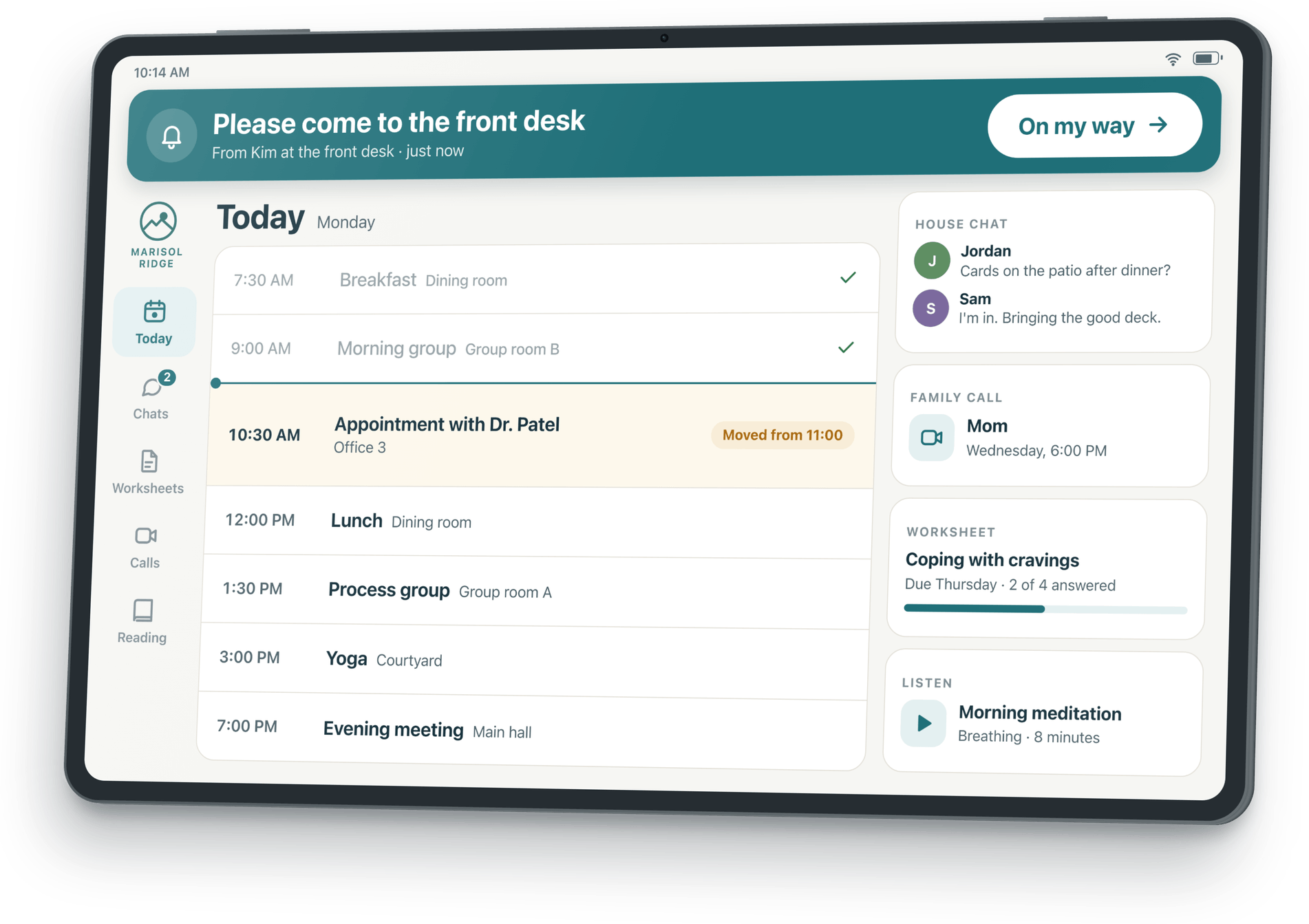
- House chats
The house, the group and the client's counselor.
- Calendar and appointments
The client's day in one list, with a banner when something moves.
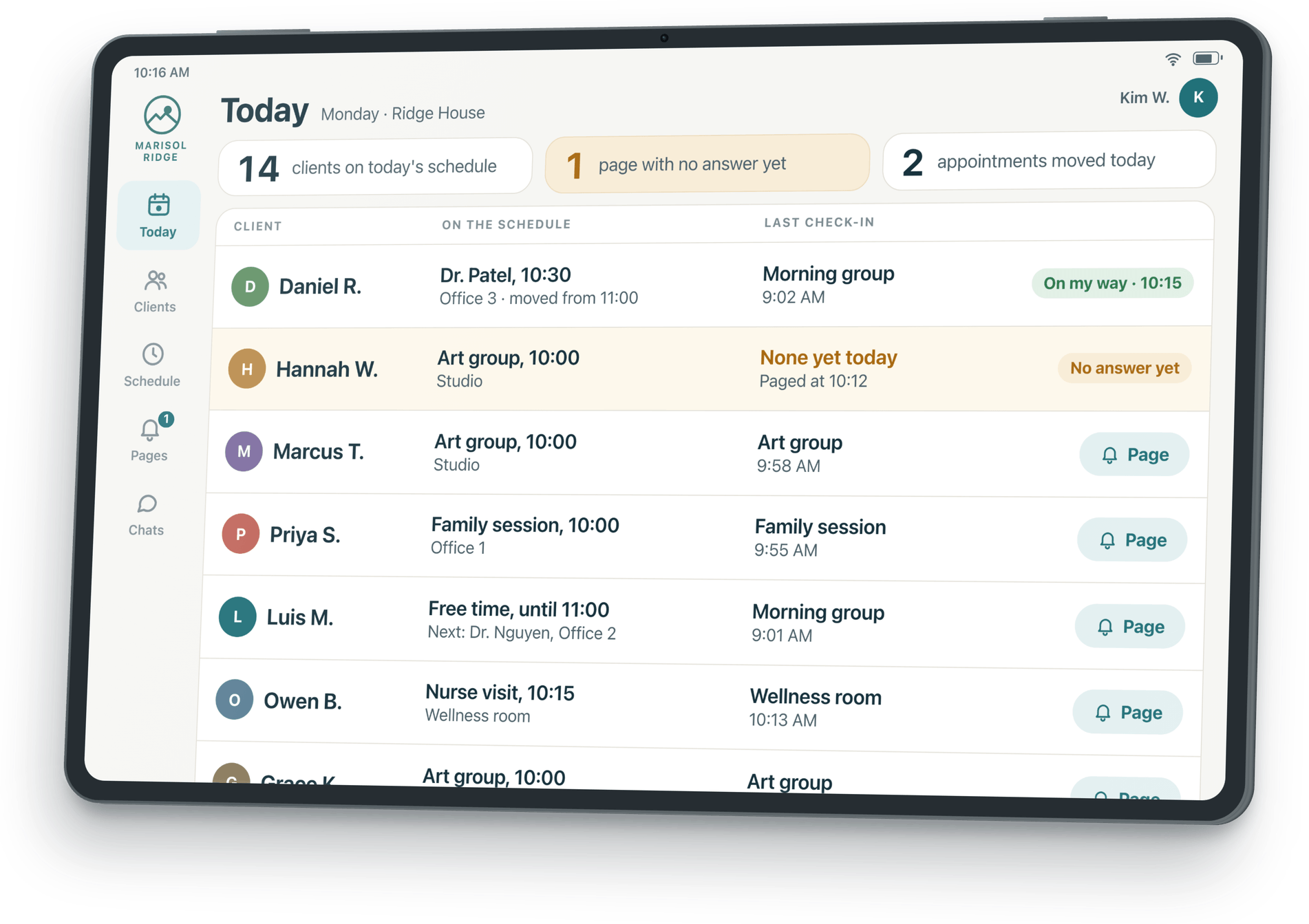
- Pages from staff, with "On my way"
A page sounds, shows and stays until the client answers.
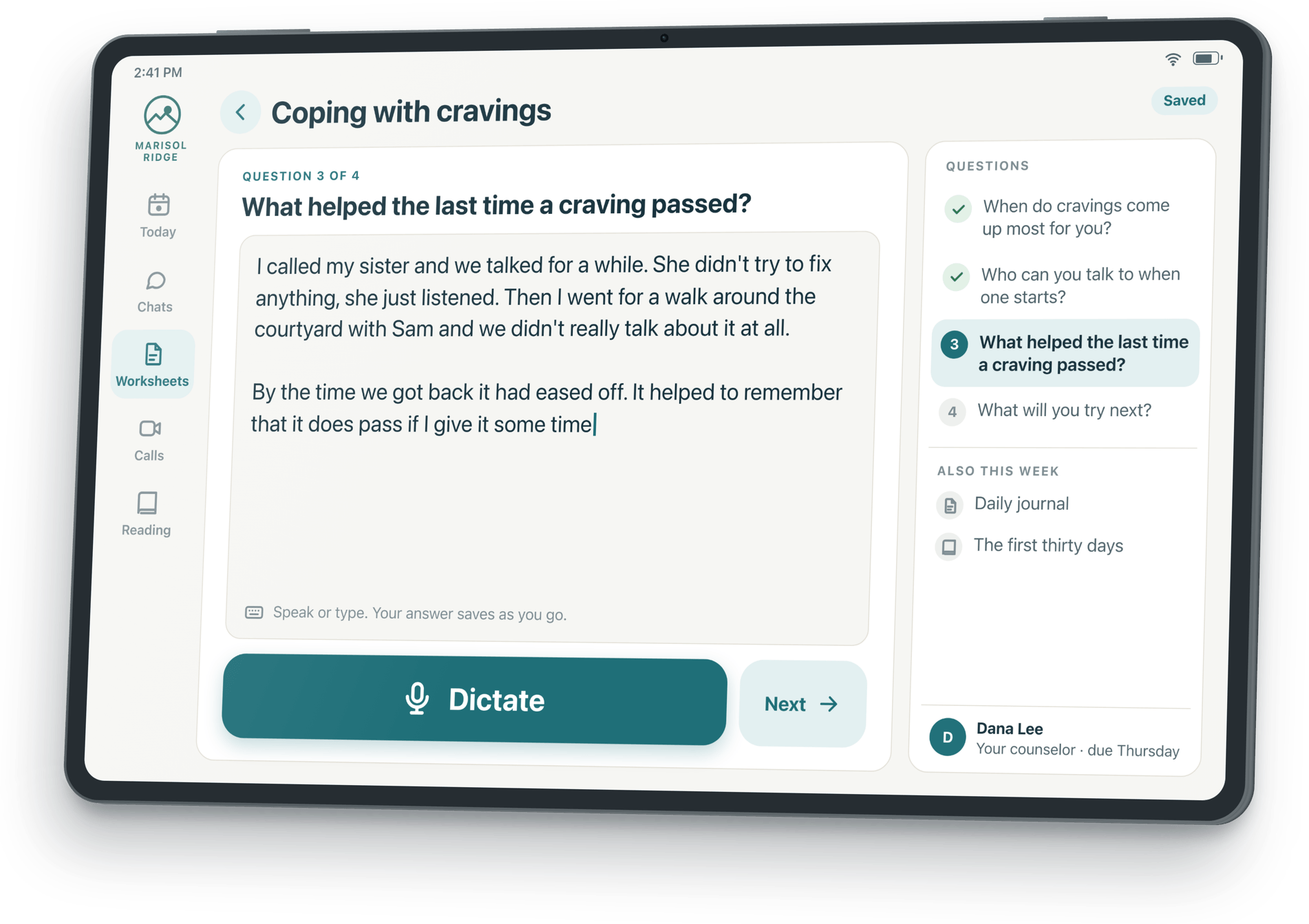
- Worksheets with dictation
Assignments and a journal, typed or spoken, on the device.
- Family video calls
With the people your center approves, at the times it sets.
- Your center's reading and audio
Your workbook, your meditations, your library.
Your center chooses the content and the contacts on the device. When clients leave, their chats and contacts can optionally come with them. The staff schedule shows who checked in and who has not answered a page.
The devices to choose from
- A standard tabletAn 11-inch tablet for the day, reading, worksheets and calls.Samsung Galaxy Tab A11+
- A pocket pagerA small device clients carry all day, and it vibrates with pages.Samsung Galaxy XCover7
- A rugged tabletDrop- and water-resistant for outdoor days, and it vibrates with pages.Samsung Galaxy Tab Active5
From the creator of SoberHub
SoberHub is a free recovery app our founder built as a volunteer for a nonprofit.


Reach out to us
Tell us about your center and what you need. We answer every message ourselves.